
If you would ever want to logout of the app, to clear the cache or to login with another account,
you can follow these steps:
- Open the 'Settings' on your tablet.
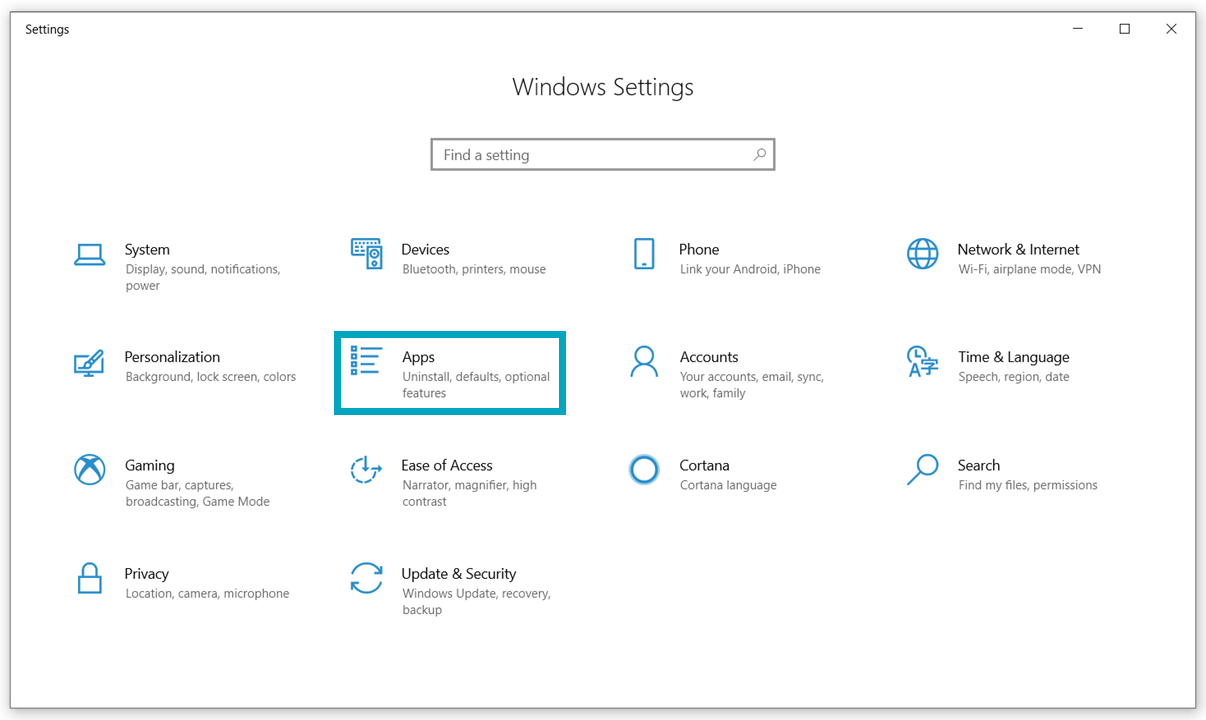
- Click on 'Apps' in the overview that appears:
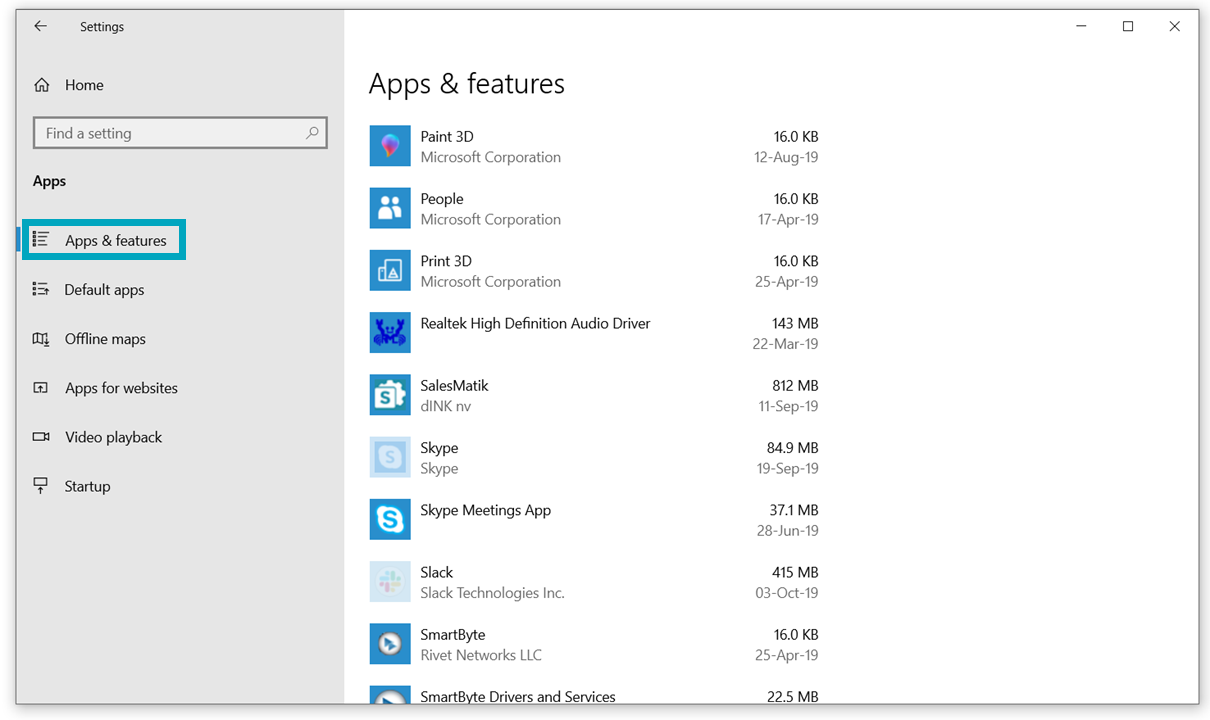
- Choose 'Apps & features' in the left hand column:
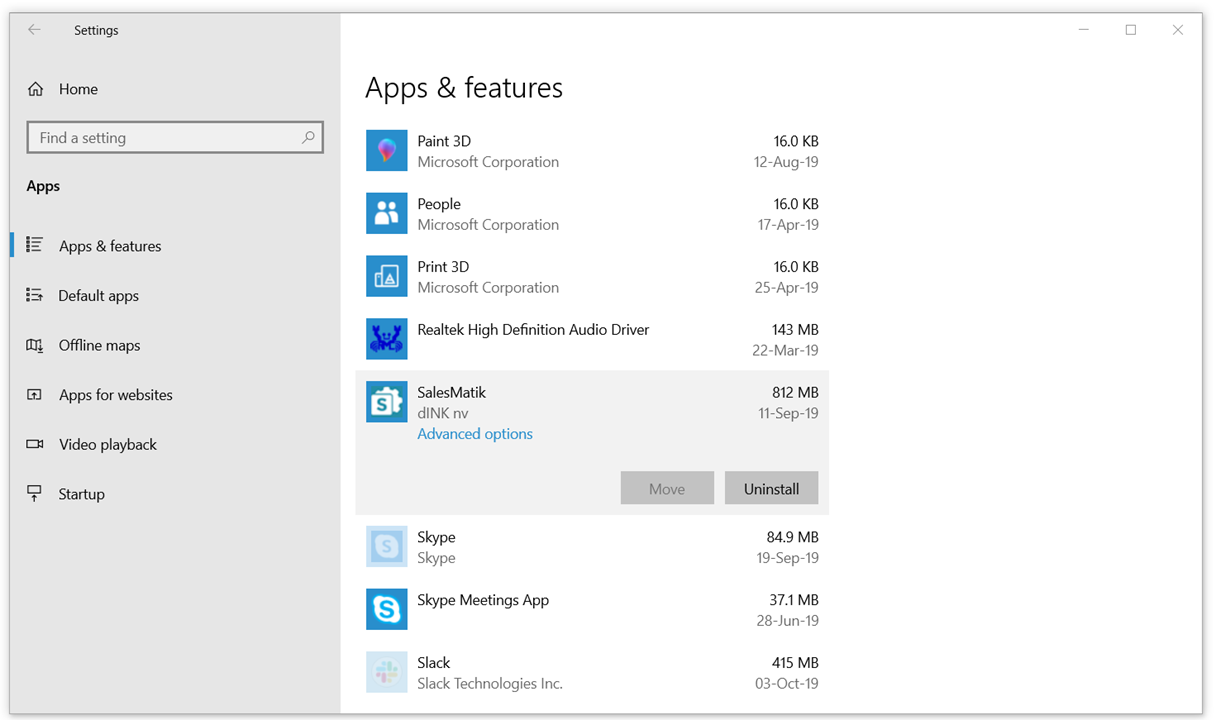
- Click on 'SalesMatik' - 'Advanced options':
- Tap the 'Reset'-button to force the app to log out:
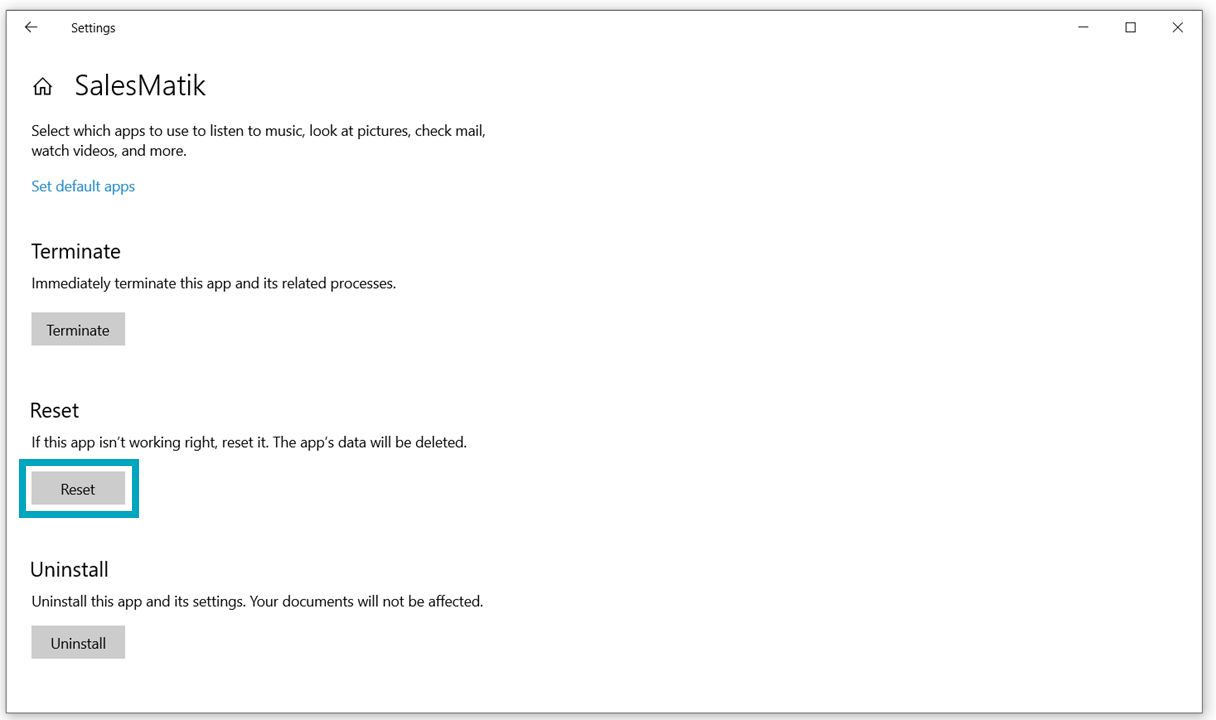
When you re-open the app, you will be logged out.
You can now login again.
Comments